Akuvox Cloud || How to configure Web Relay to operate door phones from Indoor Monitors
.
1. Local Relay
Go to Phone - Relay to setup the DTMF code of local relay in website.
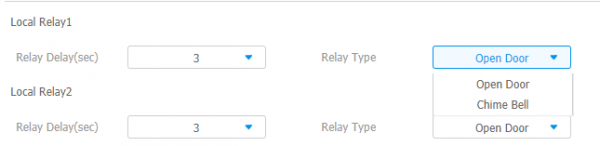
Relay Type: There are two types of relay: chime bell and open door.
Chime Bell: When there is a call, the chime bell will ring.Open door: When press the unlock icon, local relay will be opened.
Relay Delay: To set the delay time for local relay.
1.1 Softkey in talking/monitor page
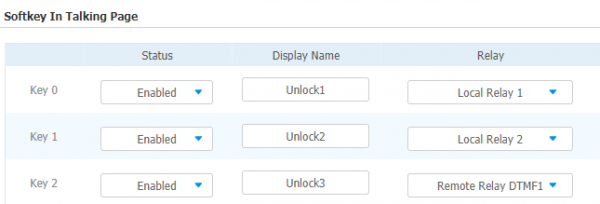

Status: To enable or disable the softkey in talking page.
Display Name: To modify the display name of unlock icons in talking page.
Relay: To set the relay type, including local relay 1/2, remote relay HTTP and remote relay DTMF.
2. Remote relay
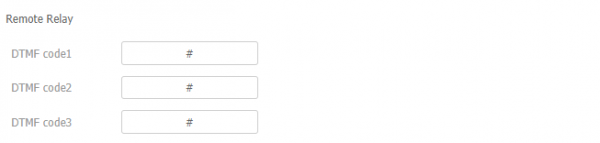
Remote Relay: To set DTMF code for remote relay, which is “#” by default.
2.1 Remote relay via HTTP
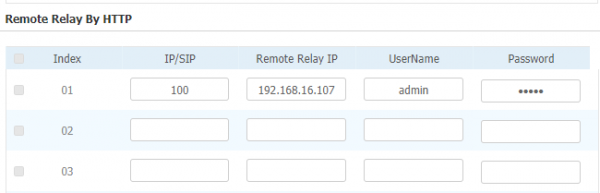
IP/SIP: To configure the device IP or SIP account.
Remote Relay IP: To configure the device IP.(Note: If this device doesn't register a sip account, fill in the IP only.)
UserName/Password: The UserName and password should be the same as the doorphone. (Doorphone configure as follows)
3. Web Relay
To configure the webrelay or the device’s information.

3.1 Web Relay Action
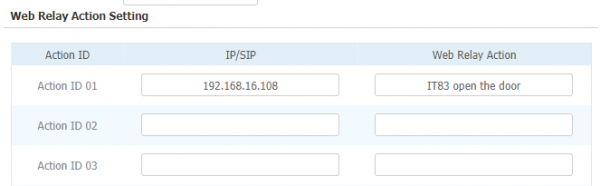
IP/SIP: To configure the device IP/SIP, which calling with IT83.
Web Relay Action: To configure the action text, you can check this command through the PCAP.