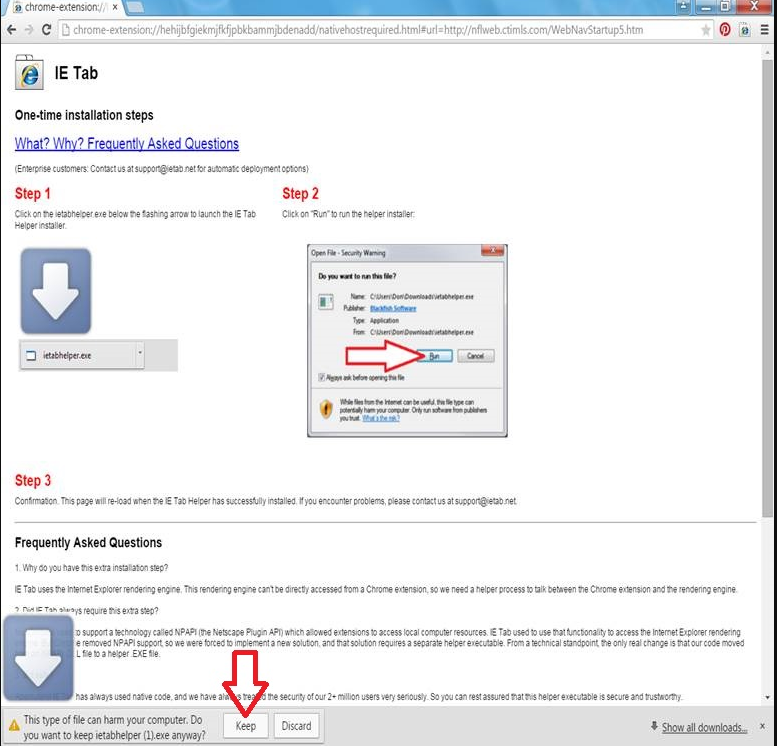
General || Chrome IE tab Extension guide
Step 1.
Step 2.

Step 3.

Step 4.

Step 5.

Step 6.

Step 7.

Step 8.

Step 9.

Step 10.

Complete.

Related Articles
UNV General || UNV Password reset using a MAC
UNV Password reset - MAC Use this guide if you need help getting the device serial number using a MAC. If you already have the Serial number, please give it to the ENS Technician along with the current date of the camera. First download EZ Station ...
Accessories || WB5802 & WB5602 Config guide
WB Config guide “Parent” Is generally for the recorder side while “Child” is generally for the camera side. WB (Parents) can connect with up to 4 WB (Children) for a total of 5 devices. Each WB will have 10 dip switches 1-10 from left to right. For ...
ENS IPC || SIPSB4AGZ/4-U2 Quick Start Guide
ENS IPC SIPSB4AGZ/4-U2 Quick Start Guide
UNV CMS + Software || EZStation Mac Install Guide
EZStation Mac Installation Guide (This demonstration was done on MacOS 12.0 Monterey) 1) First Open ENS Station .pkg file after downloading it from our website. 2) If this error appears, move onto the next step. If not, move to step 5. 3) In order to ...
ENS General || DS-1200KI Control Keyboard Configuration
Configure your ENS DS-1200KI Control Keyboard Step 1: Activate your Keyboard You must activate your keyboard and set a secure password. You can do this through the SADP Tool just like an ENS camera or recorder. Step 2: Configure the IP The keyboard ...